
What you need to connect Telegram to PlanVortex
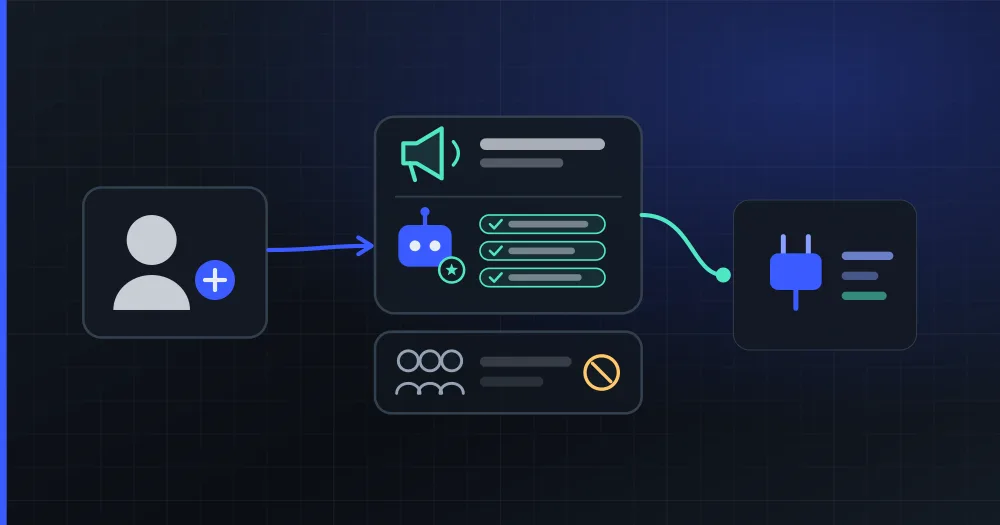
To connect Telegram to PlanVortex you need two things: a Telegram channel (a group won't work), and to be its owner or an admin allowed to add new admins. Telegram has no authorization screen: PlanVortex posts through its bot, @planvortex_bot, and connecting a channel means adding that bot as an admin, which Telegram only lets you do in channels where you can add admins.
What do I need to connect Telegram to PlanVortex?
| What you need | Where you get it |
|---|---|
| A Telegram channel, public or private | If you don't have one, it takes a minute from New Channel |
| To be its owner, or an admin allowed to add new admins | Whoever creates the channel is its owner; if the channel isn't yours, the owner can give you the permission |
Each channel you connect takes up one account on your plan. Comments also need a discussion group linked to the channel, but they are optional and you can turn them on later (further down, in "Turn on comments").
Why does Telegram ask for this?
On Telegram, apps post through a bot, and in a channel only admins can post. That is why connecting a channel means adding the PlanVortex bot as an admin, with three permissions Telegram calls Post Messages, Edit Messages of Others and Delete Messages of Others. The first lets it post, and the other two let it correct and delete from PlanVortex what it has posted.
Only a channel's owner, and admins who have that permission, can add admins to it, which is why the list Telegram shows when you add the bot only includes channels where you can add admins. On top of that, an admin can only grant the permissions they have themselves: if you are not the owner, you also need the three above.
The channel-not-group part is our rule. In a channel every post goes out with the channel's name and photo, and only its admins write. In a group everyone writes and each message carries the sender's name, so whatever PlanVortex posted would go out under the bot's name.
How to check whether you already have it
- If messages go out with the channel's name and photo and only admins post, it is a channel. If each message carries the name of whoever wrote it, it is a group.
- If you created the channel, you are its owner and have every permission. If not, whoever created it can give you Add New Admins in the channel's info, under Administrators.
- It also shows when you connect: if your channel isn't in Telegram's list, you are missing that permission.
Step by step
Create a channel (if you don't have one)
- In Telegram, start a new message (on Android, the pencil in the chat list; on iPhone, the icon at the top right of Chats) and choose New Channel.
- Give it a name and, if you like, a description and a photo.
- New channels start out private. If you want anyone to be able to find it, make it public by editing its profile. PlanVortex works with either.
Connect the channel
- In PlanVortex, go to Accounts, click Connect and choose Telegram.
- The first time, PlanVortex reminds you what Telegram asks for. Tick the box and click Connect Telegram.
- Click Open Telegram. A chat with @planvortex_bot opens: tap Start. If you use Telegram on your phone, click Copy the link and open it there.
- The bot replies with a button, "Add to my channel". Tap it and pick your channel from the list.
- Telegram shows you the admin permissions the bot asks for. Leave Post Messages, Edit Messages of Others and Delete Messages of Others on, and confirm.
- Go back to PlanVortex. The channel shows up on its own on the screen you left open, without reloading, and it is already active.
Turn on comments (optional)
The comments on a Telegram channel are kept in its discussion group, a group linked to the channel where each post has its own thread. For PlanVortex to read and answer them, the channel needs that group and the bot has to be in it as an admin.
- In the channel's info, open the edit screen and look for Discussion. There you can create a new group or link one you already have.
- If the channel already had a group when you connected it, the bot sends you a button in the chat, "Add to the discussion group", and PlanVortex shows you another, Add the bot to the group. Tap either one, pick the group and confirm.
- If you link the group later, add the bot yourself: in the group's info, under Administrators, tap Add Administrator and search for @planvortex_bot. Here too you need to be allowed to add admins in the group.
- Leave the permission to delete messages on. It is what lets you delete someone else's comment from PlanVortex.
From then on, new comments reach PlanVortex. Older ones don't, because Telegram doesn't let a bot read what was written before it joined.
What happens if something is missing
- If your channel isn't in Telegram's list, you are not its owner or an admin allowed to add new admins, or what you are looking for is a group. PlanVortex keeps waiting and reminds you: "Your channel isn't in Telegram's list?", with a link to this guide.
- If you switched off Post Messages when adding the bot, the channel connects, but PlanVortex warns you: "The bot is in the channel but can't post" (error 968). Turn it back on in the channel's info, under Administrators, by tapping the bot. No need to reconnect.
- If someone takes that permission away later, the account is marked with the same error 968 and PlanVortex tells you "The bot can no longer post in this channel". The fix is the same.
- If someone removes the bot from the channel, the account is disconnected and you have to connect it again.
- The PlanVortex link works once, and you have to tap Start within fifteen minutes. If it expires, the bot tells you in the chat: go back to Connect in PlanVortex and choose Telegram to get a new one.
- If your plan has no free slots, the channel connects without being activated. The bot tells you in the chat, and PlanVortex lets you activate it as soon as you free a slot or upgrade your plan.
- Without a discussion group, the channel posts and has stats, but no comments. PlanVortex says so when you connect: "This channel has no discussion group, so it takes no comments".
Sources
- Bot links, Telegram API. Accessed November 24, 2026.
- ChatAdministratorRights, Telegram Bot API. Accessed November 24, 2026.
- Channels FAQ, Telegram. Accessed November 24, 2026.
- Channels, Telegram tour. Accessed November 24, 2026.
Can I connect a Telegram group?
No. PlanVortex connects channels, and the link that adds the bot only lists channels. If what you have is a group, create a channel to post to and, if you like, link your group as its discussion group: that is where the comments on each post arrive.
Does a private channel work?
Yes, it posts just like a public one. The difference is that a private channel has no public link, so your posts will not have one either: only its subscribers see them.
Can I connect several channels?
Yes. Each channel is one account on your plan and is connected separately: connect again and pick another channel in Telegram's list.
Why does the bot have to be an admin?
Because in a Telegram channel only admins can post. On Telegram, apps post through a bot, and that bot needs the Post Messages permission in the channel.
Will my subscribers see that a bot is posting?
No. Telegram signs every post in a channel with the channel's name, not with the name of whoever sends it, so what you publish from PlanVortex looks like any other post of yours.