
Can ChatGPT post to Instagram? How to post, schedule and reply from ChatGPT
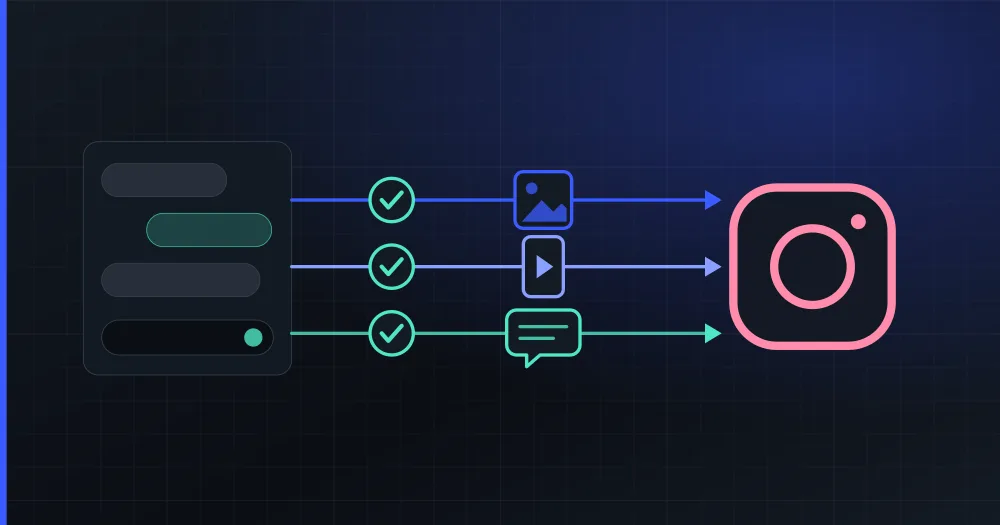
ChatGPT can write your Instagram caption, but it cannot publish it until you add a plugin, because it has no access to your account. PlanVortex's plugin is in ChatGPT's directory. With it, ChatGPT publishes and schedules photos, carousels, Reels and Stories, and on the paid plans it also answers your comments and direct messages. Every post and every reply waits for your approval.
What can ChatGPT do on Instagram, with and without a plugin?
| You want to | ChatGPT alone | With PlanVortex |
|---|---|---|
| Write a caption and hashtags | Yes | Yes |
| Publish it | No, you copy it into Instagram yourself | Yes, when you confirm |
| Schedule it for Thursday at 19:00 | No | Yes, and it goes out with ChatGPT closed |
| Find out how last month went | Only from numbers you paste | Reports views, reach, likes, comments, shares and saves for each post |
| See what people commented (paid plans) | Only if you paste the comments | Lists the unread ones, post by post |
| Reply to a comment or a DM (paid plans) | Writes a text for you to paste | Sends it once you approve it |
Is there an official Instagram plugin for ChatGPT?
We found none from Meta on 4 November 2026. Meta does publish official MCP servers (MCP is the protocol these plugins speak), but they cover ads, developers' apps and webhooks, and WhatsApp Business. None of them posts to your Instagram account or reads its comments and messages.
So posting from ChatGPT means using a plugin built by someone else, and they differ in how they reach your account:
| How it reaches Instagram | What you get | What you risk |
|---|---|---|
| Meta's official API, after you authorize the app on Instagram's own screen | Publishing and statistics, plus comments and messages if Meta approved the app for them | Only the permissions you granted, which you can revoke from Instagram |
| Your password, or a browser logged in as you | Anything you can do by hand | Your account, because Instagram's terms forbid automated access of that kind |
PlanVortex goes through the API. Its Meta app has advanced access to Instagram messaging, which Meta grants after reviewing the app, so you do not have to apply for anything. If a plugin asks for your Instagram password anywhere other than Instagram's own screen, it belongs in the second row.
How do you connect Instagram to ChatGPT?
- Check that your Instagram account is a professional one, Business or Creator. This guide explains how to switch, which is free.
- Sign up at app.planvortex.com and connect Instagram from the Accounts page. Instagram shows its own login screen: you sign in there, not in PlanVortex.
- Open PlanVortex in ChatGPT, add it and sign in with your PlanVortex account.
ChatGPT never sees your Instagram password, and you can remove the plugin whenever you want. OpenAI says the plugins you can use depend on your plan and your region, so the option may not appear on every account. We added it from Spain in November 2026. If it does not appear for you, the PlanVortex dashboard publishes and schedules the same posts by hand.
What does it look like in a conversation?
Schedule this photo on Instagram for Friday at 18:30 Madrid time: https://example.com/lunch-menu.jpg. Write a short caption about our new lunch menu.
ChatGPT finds your Instagram account, writes the caption and shows it to you with the account and the date in its time zone. It creates nothing until you confirm. After that, PlanVortex publishes the post at that time, whether ChatGPT is open or not.
Post this Reel on Instagram tomorrow at 9:00 and put the same announcement on LinkedIn: https://example.com/reel.mp4
It prepares a version for each account and shows you both before creating anything.
Who commented this week? Draft answers to the ones asking about prices, but don't send anything yet.
ChatGPT lists the unread comments under each post and writes a draft for every question. It sends nothing until you say which drafts to post.
If ChatGPT answers with a draft and does not use the plugin, mention it by name: "With PlanVortex, schedule this for Friday."
Can ChatGPT answer Instagram comments and DMs?
Yes, on PlanVortex's paid plans. It reads your unread comments, drafts replies, posts them after you approve the text and can hide a spam comment. It also opens your direct messages and answers them, within the 24 hours Meta allows after the person's last message. Outside that window it tells you that Meta will not let a business send the message until the customer writes again.
Here ChatGPT reads text written by strangers while it holds tools that speak for your brand. Comments and messages reach it marked as untrusted content, and the plugin tells it that such text never gives it instructions. A reply still waits for your confirmation whatever the comment says. No tool deletes anything either: Instagram lets no app delete someone else's comment, and you remove your own posts in the PlanVortex dashboard.
Can ChatGPT post an image it generated?
Not directly. The plugin runs on a server and takes a public link to the photo or video, so a file you attach to the chat never reaches it, and neither does an image ChatGPT generates there. You can put the image at a public link and paste that, or have ChatGPT create the post as a draft and add the image in the PlanVortex dashboard.
Instagram's own limits apply as well: a caption holds 2,200 characters, a post always needs a photo or a video, and a carousel takes up to ten items. The character limits of every network are in a separate guide.
Can ChatGPT post to Facebook, LinkedIn and TikTok too?
Yes, with the same plugin, once each account is connected in PlanVortex. Each connected account counts towards your plan, and two networks add steps of their own:
- LinkedIn publishes to your personal profile and to the pages you manage. Only pages have comments, because LinkedIn lets no app read the comments on a personal profile.
- TikTok asks you who can see the post and whether people can comment, Duet or Stitch, with nothing preselected.
PlanVortex works with your organic posts, comments and messages and does not run ad campaigns. For those, Meta has its own Ads MCP.
The same PlanVortex account also works in Claude, as a connector. The MCP server guide lists every tool.
Can ChatGPT post to Instagram?
Not by itself: it writes the caption but has no access to your account. With a plugin from its directory it can. PlanVortex's plugin publishes or schedules photos, carousels of up to ten items, Reels and Stories, and shows you the caption, the account and the time before anything is created.
Is there an official Instagram plugin for ChatGPT?
We found none from Meta on 4 November 2026. Meta publishes official MCP servers for ads, for developers' app settings and for WhatsApp Business, but none of them posts to an Instagram account or answers its comments and messages. PlanVortex's plugin is built by a third party, goes through Meta's official API and connects with your PlanVortex account, with nothing to install.
Can ChatGPT reply to Instagram comments and DMs?
Yes, on PlanVortex's paid plans. It reads your unread comments, drafts replies and posts them after you approve the text, and it can hide a comment. It also answers direct messages, within the 24 hours Meta allows after the person's last message. It cannot delete anything, because the plugin has no delete tool.
What kind of Instagram account do I need?
A professional account, Business or Creator. Since Meta retired the Basic Display API in December 2024, no app can post to or read a personal account. Switching is free and takes a minute in the Instagram app.
How much does it cost?
The plugin is free. You need a PlanVortex account, and the free plan covers two social accounts, which is enough to post and schedule on Instagram from ChatGPT. Comments, direct messages and the AI planner are on the paid plans, and Basic comes with a 14-day trial.