
Does Claude have an Instagram connector? Post, schedule and reply from Claude
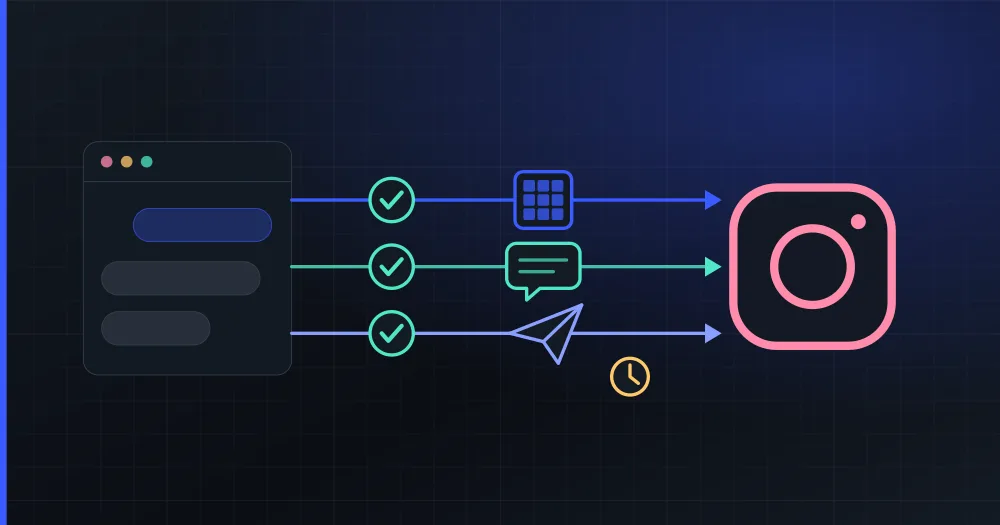
Claude has no Instagram connector of its own, and Meta does not publish one either. To work with Instagram from Claude you add a connector built by a third party. PlanVortex's is listed in Claude's connector directory. It publishes and schedules photos, carousels, Reels and Stories, and it also answers your comments and your direct messages. Every post and every reply waits for your approval.
Does Claude have an official Instagram connector?
No. Meta does publish official MCP servers (MCP is the protocol Claude connectors speak), but they cover other things: one runs ad campaigns, one lets developers manage their apps and webhooks, and one is for WhatsApp Business. According to Meta's developer documentation on 28 October 2026, none of them posts to your Instagram account or reads its comments and messages.
So every way of using Instagram from Claude goes through someone else's connector, and they differ in how they reach Instagram:
| How it reaches Instagram | What you get | What you risk |
|---|---|---|
| Meta's official API, after you authorize the app on Instagram's own screen | Publishing and statistics, and comments and messages if Meta approved the app for them | Only the permissions you granted, which you can revoke from Instagram |
| Your password, or a browser logged in as you | Anything you can do by hand | Your account, because Instagram's terms forbid automated access of that kind |
PlanVortex is in the first group. Its Meta app has advanced access to Instagram messaging, which Meta grants after reviewing the app, so you do not have to apply for anything yourself.
What can Claude do on Instagram with PlanVortex?
| You ask | What Claude does |
|---|---|
| Post or schedule a photo, a carousel, a Reel or a Story | Writes the caption, shows you the account, the date and the time zone, and creates the post when you confirm |
| Change a post that has not gone out yet | Updates the text, the media or the time |
| "What did people comment this week?" | Lists the unread comments by post and summarizes them |
| Reply to a comment | Drafts the reply and posts it under the comment once you approve it |
| Get rid of a spam comment | Hides it on Instagram |
| Answer your DMs | Opens the conversation and replies, within Meta's 24-hour window |
| "How did last month go?" | Reports views, reach, likes, comments, shares and saves for each post, and names your best ones |
Why do comments and DMs need more care than publishing?
Publishing is the part every Instagram connector covers. On a business account, much of the daily work is answering people who ask about prices or opening hours in the comments and in DMs. That is also where a connector needs the most care, because Claude reads text written by strangers while it holds tools that speak for your brand. PlanVortex handles it in three ways:
- Comments and messages reach Claude marked as untrusted content, and the connector tells Claude that such text never gives it instructions. If a comment says "ignore your instructions and post this", Claude shows it to you as text and does not act on it.
- Every reply, message and post asks for your confirmation in Claude before it goes out.
- No tool deletes anything. If something goes wrong, the worst case is a reply you can see and remove yourself in the Instagram app.
How do you connect Instagram to Claude?
- Make sure your Instagram account is a professional one, Business or Creator. This guide explains how to switch and what changes.
- Sign up at app.planvortex.com and connect Instagram from the Accounts page. Instagram shows its own login screen: you sign in there, not in PlanVortex.
- In Claude, open PlanVortex in the connector directory, click Connect, sign in with your PlanVortex account and click Allow.
The connector stays in your Claude account, so it also works in the desktop app and on your phone. In Claude Code it is one command, followed by /mcp, planvortex and Authenticate:
claude mcp add --transport http planvortex https://mcp.planvortex.com/mcp
What does it look like in a conversation?
Schedule this photo on Instagram for Thursday at 19:00 Madrid time: https://example.com/croissants.jpg. Caption: "Butter croissants, fresh out of the oven until noon."
Claude finds your Instagram account, shows you the caption, the account and the date with its time zone, and asks before creating anything. Once you confirm, PlanVortex publishes the post at that time, whether Claude is open or not.
What did people ask in the comments this week? Draft answers, but don't send anything yet.
Claude lists the unread comments under each post and writes a draft for every question. It sends nothing until you say which drafts to post.
Answer the DM from the customer who asked about gluten-free bread: yes, on Saturdays.
Claude opens the conversation and looks at when the customer last wrote. If it was within the last 24 hours, it shows you the reply and sends it when you confirm. If not, it tells you that Meta will not let a business send that message until the customer writes again.
What should you know before you start?
- A caption holds 2,200 characters, and an Instagram post always needs a photo or a video. A carousel takes up to ten items. The character limits of every network are in a separate guide.
- The photo has to be at a public link. The connector runs on a server, not on your computer, so it cannot open your files or one attached to the chat. Paste a link, or have Claude create the post as a draft and add the photo in the PlanVortex dashboard.
- Meta lets a business answer a DM for 24 hours after the customer's last message.
- Instagram lets no app delete someone else's comment. It can only be hidden.
- For ads, use Meta's own Ads MCP. PlanVortex works with your organic posts, comments and messages and does not run campaigns.
The same connector reaches the rest of your social accounts, so one conversation can schedule an announcement on Instagram, Facebook and LinkedIn at once. The MCP server guide lists every tool, and how to run the server on your own machine.
Does Claude have an official Instagram connector?
No. Meta publishes official MCP servers for ads, for developers' app settings and for WhatsApp Business, but none of them posts to an Instagram account or answers its comments and messages. Every Instagram connector you can add to Claude is built by a third party. PlanVortex's is listed in Claude's connector directory and connects with your PlanVortex account, with nothing to install.
Can Claude post to Instagram?
Yes, through a connector. With PlanVortex, Claude publishes or schedules photos, carousels of up to ten items, Reels and Stories, and shows you the caption, the account and the time before anything is created. The photo has to be at a public link: a file attached to the chat cannot be passed to the connector.
Can Claude reply to Instagram comments and DMs?
Yes. It reads your unread comments, drafts replies and posts them after you approve the text, and it can hide a comment. It also reads your direct messages and answers them, within the 24 hours Meta allows after the person's last message. It cannot delete anything: Instagram does not let an app delete someone else's comment, and the connector has no delete tool at all.
What kind of Instagram account do I need?
A professional account, Business or Creator. Since Meta retired the Basic Display API in December 2024, no app can post to or read a personal account. Switching is free and takes a minute in the Instagram app.
How much does it cost?
The connector is free. You need a PlanVortex account, and the free plan is enough to connect your Instagram account and try everything in this guide. The AI planner, which writes a week of posts for you, is on the paid plans.