
How to connect Metricool's MCP to Claude (and where it stops)
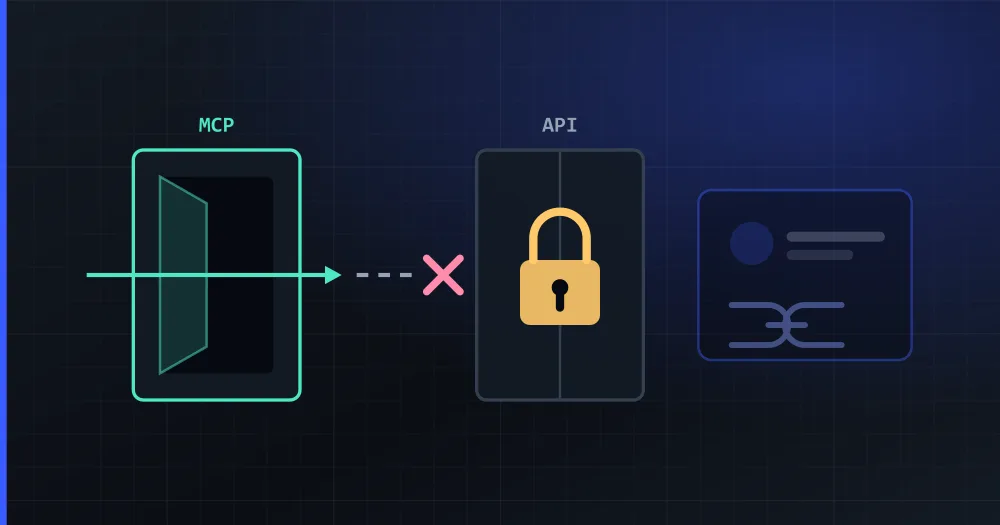
Metricool's MCP is good: it publishes, schedules, edits what is already scheduled, reads analytics, drives ad campaigns, and runs on the free plan. If you want Claude to run your own brands, it will probably do the job, and if you also run your ads in Metricool it is the natural pick.
It falls short in two cases: when you want the assistant answering comments and messages as well as publishing, and when the accounts belong to your customers.
Verified on September 15, 2026 (the connection steps, on October 10, 2026) against Metricool's help centre and PlanVortex's production code.
How do you connect Metricool's MCP to Claude?
In Claude (web or desktop) Metricool is in the connector directory, so there is no URL to paste:
- Open Settings, then Connectors, then Browse connectors, and search for Metricool.
- Click Connect to Claude, review the permissions and click Grant access.
- Check that Metricool shows as Connected, then ask Claude to list your brands to test it.
In Claude Code it is one command, and the login happens inside the session:
claude mcp add --transport http metricool https://ai.metricool.com/mcp
Start claude, run /mcp, pick Metricool and choose Authenticate. A browser tab opens for you to grant access, and no API key is involved. On Claude's side, according to Metricool's own guide, the connector works on every Claude plan (Free allows one connector at a time) and Claude Code needs Pro or Max.
What does the Metricool MCP do?
| Plans | Any, Free included (free users: one custom connector at a time) |
| Publishing | Create and schedule, or publish immediately |
| Editing | update_schedule_post on an already scheduled post |
| Analytics | Yes, across the connected networks |
| Advertising | Meta Ads, Google Ads, TikTok Ads |
| Brands | get_brands lists and selects |
| Networks | Instagram, TikTok, LinkedIn, Facebook, X, YouTube, Pinterest, Threads, Bluesky, Twitch |
| Clients | Claude Desktop, Claude Code, ChatGPT, Cursor, n8n, Make, Zapier, Smithery, TypingMind, Gemini CLI |
That is a strong list, and the ads part has no equivalent anywhere in PlanVortex; we do not touch advertising.
Do you need a paid plan for Metricool's MCP or its API?
Not for the MCP; for the API, yes. Metricool draws the line itself: "Use the Metricool MCP when you want an AI client to read and act on your Metricool data using natural language. Use the Metricool API when you want to export data or automate tasks with external tools via code."
And the plans differ:
| Metricool MCP | Metricool API | |
|---|---|---|
| Plan required | Any, Free included | Advanced or Custom |
Where people get it wrong most often is n8n, which can talk to Metricool through the MCP connector or through a header token (X-Mc-Auth with the API key from Account Settings → API). The second one is the API. So "I set up Metricool in n8n and it asked me to upgrade" and "Metricool's MCP is free" are both true statements about different doors.
In PlanVortex there is no split to get wrong. The API and your apps are on all four plans, the free one included: one app on free, two on basic, five on pro, up to ten on custom. The MCP server authenticates with that same app's client_id and client_secret:
npx -y planvortex-mcp
Where does Metricool's MCP fall short?
When the accounts belong to your customers. Everything above assumes the social accounts live in your Metricool account, as brands you connected. For an agency or a marketing team that model works, and PlanVortex's MCP works the same way: you connect your brands once and the assistant drives them.
That model stops working the moment you are a software company and the accounts belong to your customers. Then you need three things that a brand list does not give you:
Your customer has to authorize their own account, on your screens. Metricool's own documentation lists viewing and managing social network connections under what the MCP can do: the connection flow is not something you assemble from API calls. In PlanVortex,
create_connect_linkreturns a link your user opens to authorize their own Instagram; the screens around it are yours, under your brand, and the agent can run that onboarding end to end.The tenants have to be separated in the data model, not in a column. PlanVortex splits clients, organizations and accounts by design, so one customer's accounts, users and permissions never sit in the same bag as another's.
The API has to be reachable before you have revenue. Evaluating Metricool's API as an integration path means being on Advanced first. Evaluating PlanVortex's means creating an app on the free plan and calling it, with no card.
Does Metricool's MCP read comments and answer messages?
Not according to its published tool list, which covers publishing, scheduling, editing, analytics, ads and brands. Metricool has an inbox inside its own product; this is about what the MCP hands to an assistant.
PlanVortex's MCP exposes eleven tools there: list_comments, get_comment_thread, reply_to_comment, hide_comment and mark_comment_read for comments; list_conversations, list_messages, send_message and get_unread_counts for private messages; plus get_social_capabilities and get_social_limits, because not every network allows the same things and an agent that assumes otherwise writes a reply that cannot be sent.
That matters if what you want is an assistant on support duty rather than on publishing duty: triaging a morning's comments across all your networks, drafting replies, and leaving them for a person to approve.
What does Metricool do better than PlanVortex?
Advertising: Meta Ads, Google Ads and TikTok Ads from the same assistant, and PlanVortex does not manage ads. It covers Twitch, a network we do not. And its analytics go deeper, with a decade of product behind them: Metricool has been at this since 2015, it is the tool most Spanish marketing teams already know, and its reporting is better than ours. Its white-label offering is also better than its competitors tend to admit: the partner administers and assigns the brands, the end customer does not have to create an account, and everything runs under the partner's domain.
Which one fits you?
- If the accounts are yours (your brands, your agency's clients, connected by hand), both MCPs work on the free plan. Metricool's if you want the ads in the same assistant; PlanVortex's if you want it answering comments and messages.
- If the accounts belong to your customers and they need to connect them from inside your product, the connection flow is the wall, and it is the same wall whether you go MCP or API.
- In n8n, a header token is the API, which needs Advanced; the MCP connector is the free one.
- PlanVortex's API and MCP are on all four plans, free included, with 31 tools that include the comment inbox and DMs.
PlanVortex's MCP server is documented at planvortex.com/en/agents, and there is a full feature-by-feature comparison in PlanVortex vs Metricool.
Does Metricool have an MCP server for Claude?
Yes, and it is good. It connects to Claude Desktop, Claude Code, ChatGPT, Cursor, n8n, Make, Zapier and others, and it works on any Metricool plan including Free (with the caveat that free users can only use one custom connector at a time). It publishes and schedules posts, edits ones already scheduled with update_schedule_post, reads analytics, drives Meta, Google and TikTok Ads campaigns, and lists your brands with get_brands. Verified at help.metricool.com on September 15, 2026.
Does the Metricool API need a paid plan?
Yes. The MCP runs on any plan, but the API is on Advanced or Custom only. If you wire n8n with a header token (X-Mc-Auth plus your API key from Account Settings > API), you are using the API, not the MCP, so you need Advanced. The OAuth-connector route into the MCP is the one that works on Free.
Can Metricool's MCP read comments and reply to private messages?
Its published tool list does not include them. What the documentation describes is publishing, scheduling, editing scheduled posts, analytics, ads and brand selection. Metricool does have an inbox in its own product; what we are talking about here is what the MCP exposes to an assistant, and as of September 15, 2026 the comment inbox and DMs are not in that list. PlanVortex's MCP has eleven tools across comments and messages.
Which one should I use to publish for my customers' accounts?
Metricool's MCP operates over the brands connected inside your own Metricool account, and Metricool's own documentation lists managing social network connections as an MCP capability, not an API one. If you are a software company that needs your customer to authorize their own Instagram from your screens, you need a connect link over the API, and in PlanVortex that is create_connect_link, on every plan including free.
What does Metricool do that PlanVortex does not?
Three things. It manages advertising (Meta, Google and TikTok Ads), which PlanVortex does not. It covers Twitch, which we do not. And its analytics product is deeper and older than ours. If you want the assistant to run the ads as well, Metricool is the better fit.