
How to publish to Discord via API: webhook to post, bot to read
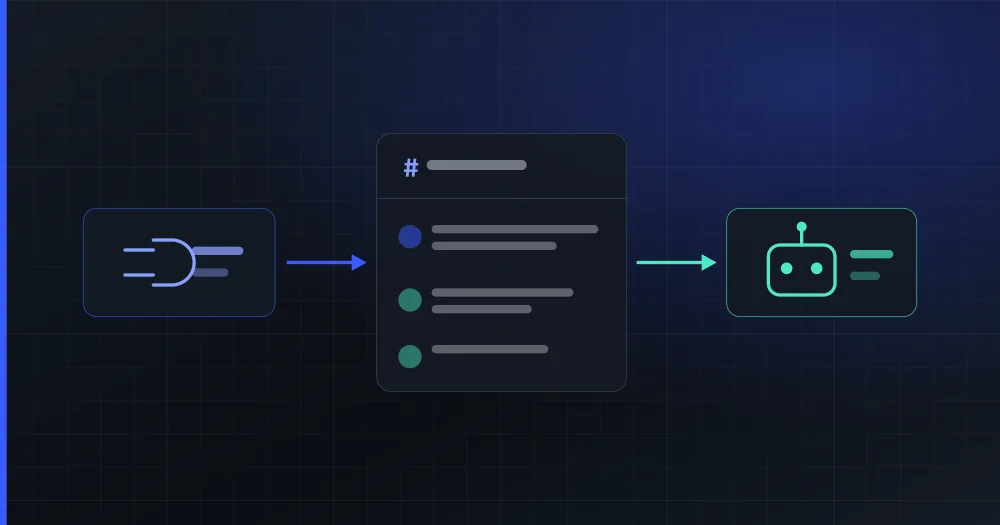
On Discord you publish with a webhook and read with a bot. They are two different credentials of the same application, you get both from a single authorization, and they work independently: kick the bot out of the server and publishing keeps going; only comments and statistics break.
Do you publish to Discord with a bot or with a webhook?
With an incoming webhook, and you read with the bot, because each credential can do things the other cannot.
| Incoming webhook | Bot | |
|---|---|---|
| How it authenticates | The token travels in the URL (/webhooks/{id}/{token}) |
Authorization: Bot <token> header |
| What it is for | Posting messages to one channel | Reading threads, reactions and members |
| Whose identity it posts under | Whatever you set: your brand's name and avatar | The bot's name and avatar |
| Reach | Only the channel it was created for | Every channel it can see in the server |
| Does it expire? | No | No |
Identity is what matters most. A message published through a webhook goes out with the name and avatar you give it; published by the bot, it goes out signed by the bot. That is the difference between an announcement from the brand and "a bot wrote something" (Discord still puts its application tag next to it, but the name and the picture are yours).
Scope explains the other half: the webhook can only write to its own channel and cannot read anything it did not write itself. Comments need the bot.
And expiry is what surprises anyone coming from Meta: neither credential expires here. An Instagram token lasts 60 days and has to be renewed; on Discord there is nothing to renew, so a connected account only goes down if somebody removes it by hand.
Their independence has a deliberate consequence: if an administrator kicks the bot out of the server, scheduled posts keep going out. Only the comments and the member count stop arriving.
Where do the comments on a Discord message live?
In the thread hanging off that message. Discord has no comments as such: the closest thing is a thread opened on a published message, and the messages inside it are the replies.
This comes with a gift for whoever integrates it: the thread id is the message id. There is no new identifier to store or to pair up: the publication's id is already enough to fetch the thread. It is one of the few things on this network that turn out cheaper than they looked.
What you do have to filter out is the noise. Inside a thread, Discord mixes in system messages with ids of their own ("a thread was created", "somebody joined") and unless you discard them by type, they land in the inbox as blank rows. Only types 0 (a normal message) and 19 (a reply) are real comments.
Why does the Discord application have to be yours and not the tool's?
Because permission to read the text of messages is reviewed per application, not per server, and that permission is exactly what comments need.
MESSAGE_CONTENT is a privileged intent. Below 10,000 reachable users (the sum of the members of every server the application is in) it is enabled with a switch in the portal, no review. Above that you have to request it in writing, with 90 days from the notice, and reapply every year (Discord's privileged intents policy, checked in August 2026).
That is the problem with one application shared across customers: a single customer with a community of 12,000 members drags the whole platform into that annual review cycle, and the day a renewal stalls, the inbox goes silent for everyone at once. With the application in your name, the threshold is your community's, the request is signed by whoever has the use case, and it spreads to nobody.
It is the reason the Discord application in PlanVortex is provided by the customer and not by us (the only network where that is the case). The price is a manual step of about ten minutes; in exchange, Discord's limits are set by your community and not by a shared queue.
How do you create the Discord application?
In five steps, at discord.com/developers/applications:
- Create the application with New Application and give it your brand's name. That is the name whoever installs the bot will see.
- Under OAuth2, copy the Client ID and generate the Client Secret with Reset Secret. The secret is shown only once.
- Under Bot, generate the token with Reset Token. Also shown only once: copy it before you leave the screen.
- Under Bot, check three boxes: Public Bot on (otherwise only the application's owner can install it), Requires OAuth2 Code Grant off (with it on, the authorization flow breaks) and Message Content Intent on, under Privileged Gateway Intents.
Server Members IntentandPresence Intentare not needed. - Under OAuth2 → Redirects, register the return URL: your dashboard's URL followed by
/connect/discord. Discord rejects the authorization with Invalid OAuth2 redirect_uri if that exact URL is not on the list, and if you serve the dashboard under your own domain, the one to register is yours.
Step 4 is the one that saves the support tickets. The first two boxes break the flow with an error that explains nothing, and the third one breaks nothing at all: it just makes comments arrive blank.
Which permissions should the bot ask for?
The minimum needed to read a thread and reply in it. Discord encodes permissions as an integer of bits that travels in the install URL, so the number you ask for is the number the user sees on Discord's screen before accepting. It is worth keeping it short to justify.
| Permission | Bit | What for |
|---|---|---|
VIEW_CHANNEL |
1,024 | Seeing the channel and its thread |
SEND_MESSAGES |
2,048 | Replying if the webhook fails |
MANAGE_MESSAGES |
8,192 | Deleting somebody else's comment |
EMBED_LINKS |
16,384 | Link previews |
ATTACH_FILES |
32,768 | Attaching files |
READ_MESSAGE_HISTORY |
65,536 | Reading the thread |
ADD_REACTIONS |
64 | Reacting |
CREATE_PUBLIC_THREADS |
2³⁵ | Opening the publication's thread |
SEND_MESSAGES_IN_THREADS |
2³⁸ | Writing inside the thread |
Added up they come to 309,237,771,328, which is the integer PlanVortex asks for on install.
Two warnings about that table. First: READ_MESSAGE_HISTORY is the most commonly forgotten permission, and without it the message list comes back empty rather than erroring: the same symptom as the missing intent, which is why you have to rule out both. The second is for anyone computing the integer in JavaScript: CREATE_PUBLIC_THREADS is bit 35 and SEND_MESSAGES_IN_THREADS is bit 38, so combining them with | does not work. JavaScript's bitwise operators truncate to 32 bits and 1 << 35 gives 8. You have to add them, which with distinct bits gives the same result and fits comfortably in a regular number.
What are the limits when publishing to Discord?
Those of a message, plus those of throughput. These are the values PlanVortex validates against in its API v10 integration (August 2026):
| Limit | Value |
|---|---|
| Text in a message | 2,000 characters |
| Attachments per message | 10 |
| File size, no boost or level 1 | 8 MB |
| File size, level 2 | 50 MB |
| File size, level 3 | 100 MB |
| Posts per channel | 5 every 5 seconds |
The 8 MB is the limit that surprises people most: a 20 MB video that publishes fine on the other networks returns a 413 here. And the server's boost level can only be read with the bot inside, because it travels in the guild's premium_tier field. With no bot, you have to assume the floor.
The throughput limit is per channel and shared by every webhook on that channel, so two integrations pointing at the same place get in each other's way. And there is a ceiling above it that appears in no rate-limit documentation: Discord counts invalid requests (401, 403 and 429) and at 10,000 in 10 minutes Cloudflare cuts access by IP. Which means a bug failing in a loop does not take down one account: it takes down every account served from that machine. That is why it pays to put a fixed ceiling on total outbound throughput instead of trusting the code not to fail.
What can you not do on Discord through the API?
Three things worth knowing before promising them:
- There are no direct messages: a bot cannot start a private conversation with somebody who has not opened one first, and reading incoming DMs requires a permanent WebSocket connection to the Gateway. That is an always-on process, not a REST call.
- You cannot hide a comment: Discord has no "hide", you delete it or you leave it. That is the difference from Facebook, Instagram or YouTube, where hiding is a separate action from deleting.
- There are no incoming notifications: Discord's "webhooks" point at Discord: they are for writing, not for Discord to notify you. What notifies is the Gateway, which is once again the permanent WebSocket.
Discord is a network built for real-time communities more than for scheduled publishing, and its API reflects that shape. And that decides whether your integration can promise a message inbox or only a comment one.
In PlanVortex, Discord publishes to text channels and brings in the comments from the thread; it has no direct message inbox, and the account screen says so rather than leaving a gap. You can look at what each network does or the limits we publish if you are integrating against our API, and if you are about to write the code, the Node.js and Python guides cover the whole flow.
Can I publish to Discord with just a bot, without a webhook?
You can, but the message goes out signed by the bot: its name and its avatar, not your brand's. The incoming webhook exists precisely for that: when you create it you set the name and avatar each message appears under. That is why PlanVortex publishes through the webhook and keeps the bot for reading. They are also independent: the webhook never expires and keeps working even if the bot leaves the server.
What happens if I do not enable the Message Content Intent?
Comments arrive empty, and nothing errors. Without that intent Discord answers 200 with a blank content field on GET /channels/{id}/messages, so the integration receives a list of messages with no text and everything looks fine. It is the most expensive failure to diagnose on this network. You enable it in the portal, under Bot → Privileged Gateway Intents, and below 10,000 reachable users it switches on by itself with no review.
How many characters and files does a Discord message accept?
2,000 characters of text and 10 attachments per message. The weight of each file depends on the server's boost level: 8 MB with no boost and at level 1, 50 MB at level 2 and 100 MB at level 3. The level can only be read with the bot inside the server, because it travels in the guild's premium_tier field, so with no bot you have to assume the 8 MB floor.
Why does the Discord application have to be mine and not the tool's?
Because permission to read the text of messages is reviewed per application, not per server. Below 10,000 reachable users it enables itself; above that you request it in writing and renew it every year. With one shared application, a single customer with a large community drags the whole platform into that review cycle. With the application in your name, the threshold is your community's and it spreads to nobody.
Can direct messages be read from Discord through the API?
Not with this approach. A bot cannot start a private conversation with somebody who has not opened one first, and receiving incoming direct messages requires holding a permanent WebSocket connection to Discord's Gateway. That is an always-on process, not a REST call, and it is a separate piece of infrastructure. This is why PlanVortex offers no direct message inbox on Discord.