
Buffer's API in n8n: fine for your channels, closed for your customers'
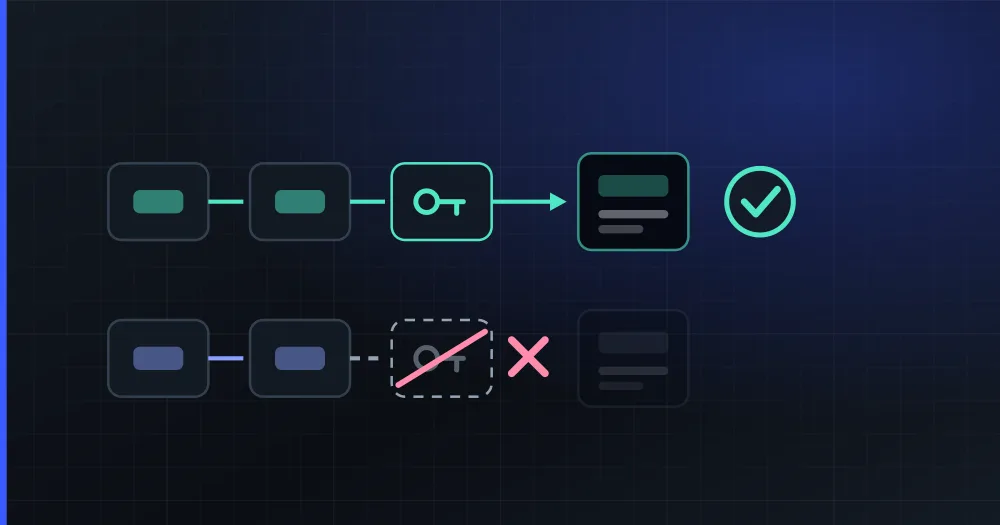
Yes, there is an official Buffer node for n8n, and it works. If you want to wire your own Buffer account into a workflow, install it and paste a Buffer API key. That key stops being enough as soon as the channel belongs to someone else, because Buffer has no third-party access: publishing to your customers' accounts takes a different API.
Verified on September 15, 2026 against Buffer's developer documentation, the node's own repository and PlanVortex's production code.
What does the official node do?
Buffer maintains it themselves at bufferapp/buffer-n8n.
| Actions | Create an idea, publish a post |
| Networks | X, Instagram, TikTok, YouTube, Facebook, LinkedIn |
| Scheduling | Publish now, add to queue, or schedule for a specific time |
| Media | Images and video |
| Auth | A Buffer API key |
The queue mode is the thing Buffer has always been better at than everyone else: you do not pick a time, you drop a post into a slot pattern you defined once. In an n8n workflow that means you can generate content on a trigger without also having to invent a schedule.
Can it publish to your customers' accounts?
No. Buffer closed third-party app integrations in 2019, and that restriction still stands. The old REST API stopped accepting new developer app registrations. The current GraphQL API is a public beta with personal API keys: you request access, generate a key, and publish to your own connected channels. Third-party OAuth (the flow a SaaS needs to onboard an end user and post for them) is not enabled.
This is where the boundary falls:
| What you want to do | Buffer + n8n |
|---|---|
| Publish to your company's own channels | ✅ Works today |
| Let your teammates' channels run through the same workflow | ✅ If they are in your Buffer org |
| Let your customer authorize their Instagram and publish for them | ❌ No supported path |
If you are automating your own marketing, none of this matters. If you are building a product where your customers connect their accounts, you will hit this on day one, and no amount of n8n wiring gets around it, because the missing piece is an authorization flow that Buffer does not expose.
What should you do instead?
Connect n8n to an API that does have third-party access, such as PlanVortex's, and the shortest way there is its own node. PlanVortex publishes a verified community node, n8n-nodes-planvortex: on n8n Cloud the owner or an admin of the instance installs it from the nodes panel, and on a self-hosted n8n it goes in from Settings → Community Nodes.
The node has the seven operations workflows ask for: create a publication (now or scheduled), upload media, list accounts, create a connect link, read the comment inbox, reply to a comment and get each network's capabilities. The setup, step by step and with a full workflow, is in n8n social media automation.
For anything else the API does, an HTTP Request node signed with the same credential reaches api.planvortex.com directly.
Either way you need an app, created in the dashboard under Settings → Apps. Every plan has them (one on free, two on basic, five on pro, up to ten on custom), so the whole thing can be built and tested without entering a card.
And for the case Buffer cannot cover: the node's Create Connect Link operation returns a link your customer opens to authorize their own account, on your screens and under your brand. It is the piece Buffer withdrew in 2019.
What do more networks change in a workflow?
Buffer's node covers six networks. PlanVortex covers all of these: Facebook, Instagram, Threads, LinkedIn, TikTok, X, WhatsApp, YouTube, Bluesky, Discord, Telegram, Slack and Pinterest.
Discord, Telegram and Slack change what an automation is for. Discord and Telegram are communities, Slack is a team channel, so the same workflow that posts a release note to LinkedIn can drop it in the customer Discord and the internal Slack, which is usually three separate integrations.
One of those carries limits worth knowing before you build: Slack publishes and reports reactions and nothing else (no comment inbox, no DMs). The node's Get Capabilities operation returns exactly what each one allows, so a workflow can branch on it instead of failing at 3 a.m.
What does Buffer do better?
Two things. Its node has been around for longer, and that head start is theirs.
And the queue: nobody has improved on it, and PlanVortex has no equivalent (it schedules by timestamp or generates a week with the AI planner, which is a different idea).
Which route fits which case?
- To wire your own Buffer account into n8n, install the official node and generate a personal API key.
- To wire in your customers' accounts, Buffer will not do: third-party access closed in 2019, and the beta API is personal keys only.
- To use PlanVortex in n8n, its verified node, with HTTP Request nodes for anything beyond its seven operations.
- Both routes work on the free plan, because the API and apps are on all four plans.
The node is set up step by step in n8n social media automation and the API is documented at planvortex.com/en/developers.
Is there an official Buffer node for n8n?
Yes. Buffer publishes it themselves at github.com/bufferapp/buffer-n8n, as a community node. It creates ideas and publishes posts to your connected channels (X, Instagram, TikTok, YouTube, Facebook and LinkedIn) with the three scheduling modes Buffer has always had: publish now, add to the queue, or schedule for a specific time. It attaches images and video. You need a Buffer API key. Verified September 15, 2026.
Can I use Buffer's API to publish for my own customers?
No. Buffer revoked third-party app integrations in 2019 and that restriction still stands; the new GraphQL API is a public beta with personal API keys and no third-party OAuth. A personal key publishes to the channels connected to that one account. There is no supported path for onboarding your users and publishing on their behalf.
How do I use PlanVortex from n8n?
With the verified PlanVortex node, n8n-nodes-planvortex. On n8n Cloud the owner or an admin of the instance installs it from the nodes panel; on a self-hosted n8n, from Settings > Community Nodes. It publishes and schedules, uploads media, reads and answers comments and creates the link your customer uses to connect an account, which Buffer's node cannot do. Anything else in the API is an HTTP Request node away, with the same credential. Both work on the free plan.
What do I need to call the PlanVortex API from n8n?
An app. You create one in the dashboard under Settings > Apps and get a client_id and a client_secret. Every plan has apps (one on free, two on basic, five on pro, up to ten on custom), so you can wire the whole workflow without entering a card. Those are the same credentials the n8n node, the MCP server and the Node and Python libraries use.
What does Buffer do better?
Its queue is still the best model anyone has shipped for consistent personal posting, and its n8n node has been around for longer.