
AI social posts from your own photos (without letting it invent the picture)
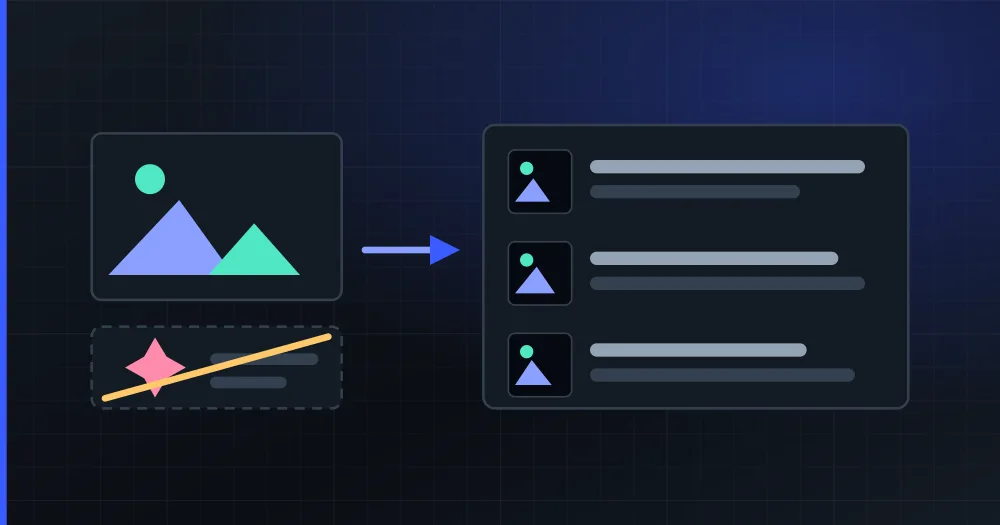
You can let AI write your posts and supply the photos yourself. You upload your pictures with a line saying what is in each one, and the AI writes the copy, adapts it to each network and spreads the week without generating a single image.
Almost every AI content tool gives you copy and images, and for a blog or an opinion account that is fine. For a bakery, a garage or an estate agency, the generated image is precisely the part that does not work, because what you sell is what is in the photo.
Why can people tell a photo was generated by an AI?
Because it is not your place and not your product. It is almost never an obvious glitch: current generators stopped drawing six-fingered hands a while ago, and hardly anyone spots a generated image looking at it in isolation.
A customer who has been to your shop can see that is not your counter. A customer who has bought from you can see that is not your packaging. And someone who has never been sees a generic stock image, which is exactly what a brand that does not exist looks like. On local social media (where a good share of your readers have walked past your door), the invented photo fools nobody: it reads as "a machine wrote this", and that taints the copy too, which may well have been fine.
Two more practical consequences:
- A real photo gets reused: one of your product works for the post, for the product sheet, for the catalogue and for answering a customer in a message. A generated image only works for that one post.
- Platforms label generated content. Meta adds an "AI info" label to content it detects through the invisible markers and metadata (C2PA, IPTC) that generators leave behind, or when whoever uploads it says so (Meta Transparency Center, checked in August 2026). It is not a penalty, but it is a public label next to your brand that you did not choose to put there.
So it pays to be careful about which half of the job you hand to the AI. Writing seven different texts, adapting them per network and spreading them across the week is repetitive work and AI does it well. Inventing your shopfront, no.
Can the AI write the copy while I supply the photo?
Yes. In the PlanVortex planner it is called generating the plan from your photos (from_images in the API):
- You upload the photos you want to publish, each with one line saying what is in it.
- The model reads all of them at once, in a single pass, together with your topic and your brand context.
- It returns the week: which photo goes on which day, the copy of each post adapted to the network it lands on, and the time.
- You review, fix whatever you want and validate. No image is generated.
Making a single pass, rather than one per photo, is what lets the week have a thread. The model sees the twelve photos together, so it can notice that number 3 is the "before" and number 7 the "after", and order them so the week tells something. Photo by photo you would get seven independent posts that happen to be consecutive.
How do you describe a photo so the copy works?
With one or two sentences saying what it is, with proper nouns and with what the picture does not show. Whether the result is publishable depends on it, which is why the description is mandatory: without it the model writes about what it believes it sees, and with a product photo it gets the product wrong about half the time.
Four rules:
1. Say what it is, not what it looks like. The model can already see the photo. What it cannot know is what it is looking at.
| Instead of | Write |
|---|---|
| "Nice photo of pastries" | "Butter croissant, baked at dawn, gone before eleven" |
| "Our garage" | "Timing belt replacement on a Golf VII, two hours of work" |
| "Flat in the centre" | "3-bedroom flat on Calle Mayor, refurbished in 2025, third floor with no lift" |
2. Proper nouns. The name of the dish, the model, the street, the reference. It is the only thing the model cannot infer from the image, and it is what makes the copy sound like yours instead of like a template.
3. What the picture does not show. The price, that it is seasonal, that it is only there on Saturdays, who it is for, how long it takes. A photo says none of that, and it is half of what makes a post useful.
4. One or two sentences, not a paragraph. Up to 500 characters per photo are kept; past that it is trimmed. And more is not needed: the description is context, not the copy of the post.
It helps to write it the way you would say it over the phone to someone who is going to write the post for you and does not know your business.
How many posts come out of N photos?
One per photo at most, and always bounded by the week. Two limits apply:
- The source: each photo is published only once, so 12 photos are 12 posts as a ceiling. The maximum per plan is 20 photos.
- The week: the slots are the days you picked multiplied by the accounts in the plan. There is at most one post per day and account.
The smaller of the two wins. With 12 photos and one account publishing Monday to Friday there are 5 slots: 5 get published and the other 7 stay out. The plan is weekly and the source does not extend it, so the leftovers are not piled up at the end: they stay for next week, which is where you would want them anyway.
And you know this before generating: the wizard warns you while you pick the photos and repeats it at the review step, and the generated plan carries that notice inside it (code 2117 if you integrate against the API).
The order matters too, because each photo's position is the narrative. The plan stores which photo each post used, so a retry does not reshuffle them: you do not end up with the dessert photo carrying the starter's copy.
What does a plan from your own photos cost?
About ten times less than with generated images. In PlanVortex AI usage is measured in credits included in your plan, and these are the two bills for the same week of 7 posts with a picture, on one account:
| Item | Generated images | Your photos |
|---|---|---|
| Planner pass | 15 | 20 + 2 per photo = 34 |
| Copy (7 × 2) | 14 | 14 |
| Images (7 × 70) | 490 | 0 |
| Total | 519 credits | 48 credits |
The whole difference is one row. Generating an image costs about 35 times what writing the text beside it costs, so in a plan with a picture on every post the images are around 94% of the spend. Removing them leaves the plan at something you barely notice in the monthly allowance.
The planner pass does go up a little (from 15 to 34) because analysing the photos costs: each image adds around 1,100 input tokens, a fixed budget that does not depend on whether you upload a 12 MP phone photo or a 1,000-pixel one. It costs 19 credits more and saves 490.
What if you do not have a photo of everything?
There are two ways out before going back to generated images:
- From your catalogue: if you sell products, the plan can be generated straight from your WooCommerce store or from the Meta catalogue connected to the account: it takes the name, the description, the price and the real picture of each product you pick, and builds the week around that. It does not generate images either. It is the option no generic AI tool can offer, because it needs the connection to the store or the catalogue.
- With no picture: a post can go without an image on almost every network. The exception is Instagram, which requires a file: there, no photo means no post.
And for whatever you have neither photographed nor in a catalogue, the usual template is still there and does generate the images.
How do you do it, from the dashboard or the API?
In the dashboard it is the planner wizard: you choose what the plan is generated from, upload the photos with their descriptions, pick accounts and days, and review before validating. What it costs is shown before anything is generated.
If you integrate against the API, it is the same create-a-plan endpoint with two more fields:
POST /v1.0.0/clients/{id_client}/organizations/{id_organization}/ai_plans

{
  "prompt": "Artisan bakery, warm tone",
  "accounts": ["66d04a6a427f4c43b9d97f54"],
  "template": "from_images",
  "source": {
    "images": [
      { "id_upload": "66d0…", "description": "Butter croissant straight out of the oven" },
      { "id_upload": "66d1…", "description": "The bakery at five in the morning, kneading" }
    ]
  }
}
The available templates, what each one accepts, its fields and what its orchestration costs are all read from GET /planner_templates: they are published so you do not have to copy them into your code, where they would go stale. You can see the detail in the documentation or what each network does. And if you would rather ask for the week out loud than fill in a form, the same thing is handled from an MCP server in your AI assistant.
AI credits start on the Basic plan (€15 a month): see pricing.
Can I use AI to write the posts and supply the photos myself?
Yes, and for a business with a physical product that is usually the right way round. You upload your photos with a line saying what is in each one, the AI reads all of them at once and writes the copy for each post, picks which photo goes on which day and schedules the week. The picture that gets published is yours: none is generated. In PlanVortex it is the from_images template of the planner.
Why can people tell a photo was generated by an AI?
Almost never because of an obvious glitch, but because it is not your place and not your product. A customer who has been to your shop can see that is not your counter, that is not your packaging and that shopfront does not exist. In a business with a physical product what you sell is what is in the photo, and if the photo is invented, the message reads invented too.
How do I describe a photo so the generated copy is usable?
Say what it is, not what it looks like. Proper nouns (the product, the dish, the model, the street), what the image does not show (that it is seasonal, that it sells out on Saturdays, who it is for) and in one or two sentences. 'Butter croissant straight out of the oven, baked at dawn, gone before eleven' gives usable copy; 'nice photo of pastries' does not.
How many posts come out of my photos?
One per photo at most, and always bounded by the slots in the week: the slots are the days you picked multiplied by the accounts in the plan. With 12 photos and 6 slots you get 6 posts, and you are told before anything is generated. The plan is weekly and the leftover photos do not extend it: they stay for next week.
How much does a plan from my own photos cost compared with generated images?
In PlanVortex a week of 7 posts with a picture on each costs 519 AI credits when the model generates the images and 48 when you supply them. The difference is the image: generating one costs about 35 times what writing the text beside it costs. Supplying the photos removes around 90% of the plan's cost.